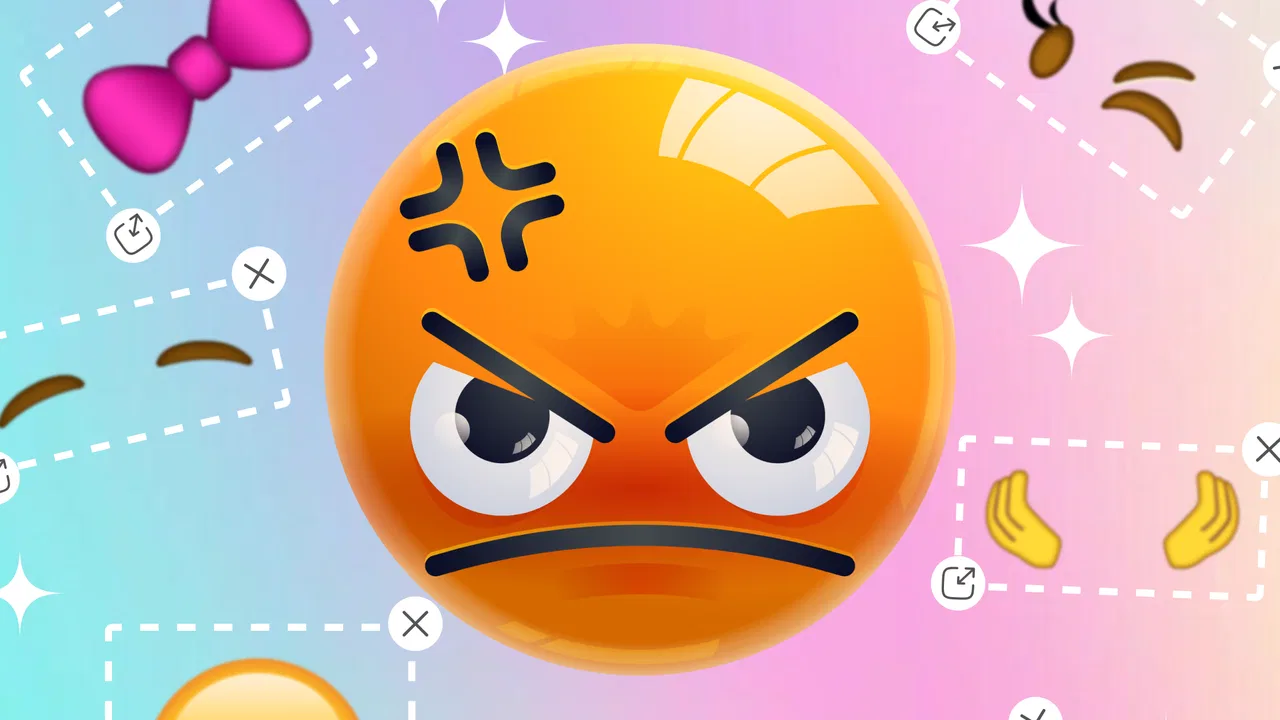
Emoji Maker: DIY Emoji Merge
- 3.9
- Rating
- 10.00M
- Installs
- Free
- Price

 Analysis by App-foxy
I found Emoji Maker: DIY Emoji Merge to be a light, approachable personalization app that works best when I want to create a quick visual expression rather than design a complete sticker collection. Its central idea is simple: start with emoji-style elements, adjust the result, and combine designs through the mixer. That simplicity is also its main appeal. I can open it with a very specific idea in mind, experiment for a few minutes, and leave with something that feels more personal than choosing the same familiar emoji from a keyboard.
My overall view is positive but measured. This is not the kind of tool I would choose for professional illustration, detailed character design, or carefully managed digital assets. It is better suited to casual creativity, playful messages, profile decoration, and small visual experiments. The free price makes it easy to try, and the Everyone age rating gives it a broad audience, including families looking for a straightforward creative activity. Still, the experience depends heavily on how much variety and control a user expects from an emoji editor.
What using the app feels like
Emoji Maker: DIY Emoji Merge comes from MayZing Tech and sits in the personalization category. The app’s purpose is immediately understandable: it lets me work with emoji-inspired designs and blend them using the Mixer. I do not need to learn a complicated drawing interface before making progress. That matters because many creative apps lose casual users by presenting too many controls at once.
You May Also Like

 Blood Strike: 2.5 Anniversary
Blood Strike’s Loadouts Turn Every Drop Into a Tactical Gamble
A close look at Blood Strike’s custom loadouts: how fast access to signature weapons reshapes its battle royale rhythm, rewards preparation, and narrows the gap between fights.

 Pandora - Music & Podcasts
Pandora’s Music Is Easy to Start, but Harder to Recover
Pandora’s strength is its low-effort path from a seed to a station. Its weak spot is how much confidence it asks you to place in connection, setup, and quiet recovery.

 8 Ball Pool
 Is Built on Rivalries, Rematches, and Routine
A close look at the rivalries, rematches, shared routines, and unanswered safety questions that turn a quick pool match into a persistent mobile community.

 Samsung Music
’s Quiet Strength Is Playing What You Already Own
Its reach comes less from spectacle than from dependable access to a personal library. That simplicity is both the app’s strongest retention engine and its ceiling.

 AccuWeather: Weather Radar
AccuWeather Review: A Quick, Clear Forecast for Everyday Decisions
For everyday plans, the best forecast is the one you can understand quickly. AccuWeather makes rain timing, radar, and local conditions easy to act on, with a few trade-offs.

 Hill Climb Racing
Why Hill Climb Racing Still Turns Crashes Into One More Run
A tiny car, a bumpy hill and one more upgrade: Hill Climb Racing keeps resurfacing because its simple chaos makes every near-miss feel personal.
More From Our News Desk



The most enjoyable part is the trial-and-error process. I can begin with a familiar expression, change the visual ingredients, and see how a merged result changes the mood. A small adjustment can make the final face appear happier, sillier, more surprised, or simply strange in an entertaining way. I found that the app works best when I treat it as a visual sketchbook rather than a precision editor.
The store summary describes the app as a way to design custom emojis and blend them with Mixer, and that is a fair description of the experience. The important distinction is that the appeal is not only the final image. The process itself is the reason to return. Combining recognizable emoji ideas creates a small creative puzzle: I am deciding which features should lead the expression and which should remain subtle.
That makes the app useful for people who enjoy customization but do not want to draw from a blank canvas. A blank canvas can be intimidating, while an existing emoji-like base gives me a starting point. I can focus on personality and combination instead of worrying about every line, proportion, or color from the beginning.
A practical everyday scenario
One realistic use is preparing a playful reply for a group chat. If a friend sends an exaggerated reaction, I can open the app, make a custom expression that combines the mood I want, and use it as a more personal response than a standard emoji. The process is quick enough for casual experimentation, especially when I am not trying to create a polished graphic.
Another scenario is making a small set of expressions for a personal project, such as labels for notes or visual markers in a private collection. I would not rely on it as a full graphic-design workflow, but it can help me create recognizable visual cues without having to search through countless existing emoji options.
It also has value as a low-pressure activity for younger users. Because the concept is easy to understand and the content rating is Everyone, families can approach it as a simple creative tool. I would still recommend that adults check how a child intends to use and share any creations, but the design idea itself is accessible rather than technical.
Where the Mixer earns its place
The Mixer is the feature that gives this app a reason to exist beyond a standard emoji keyboard. A keyboard is excellent when I need speed and consistency, but it only offers the combinations already included by its platform or installed sticker packs. Here, I can try to create a result that reflects a particular joke, reaction, or mood.
The most useful way to approach the Mixer is to start with one dominant idea. If I combine too many competing visual traits at once, the result can feel unfocused. I get better outcomes when I decide whether the expression should be driven by the eyes, mouth, mood, or overall theme, then use the other elements to support that choice. This is a small but important workflow improvement: deliberate combinations usually look more readable than random ones.
I also found that unusual results can be more entertaining than perfect ones. A slightly odd expression may communicate surprise or confusion better than a carefully balanced face. That gives the app a playful advantage over polished sticker libraries, where every design is already finished and predictable.
Useful habits for better creations
My first tip is to make several variations before settling on one. The first combination may be technically acceptable but lack personality. Creating a few alternatives helps reveal which feature is doing most of the emotional work. I would save or share only after comparing the versions rather than immediately accepting the first result.
My second tip is to design for the place where the emoji will actually be seen. A detailed expression may look fine inside the editor but become harder to read when displayed small in a message. Strong, simple contrasts and a clear central expression are more practical than trying to include every possible detail.
A third useful approach is to create by emotion rather than by object. Instead of thinking, “I want to combine these two symbols,” I begin with “I need something that looks embarrassed but amused.” That gives the Mixer a clearer purpose and makes the result more likely to communicate naturally.
Finally, I recommend keeping a small mental distinction between experimentation and finished work. Some combinations are fun precisely because they are odd. Others are better for actual communication. The app supports both, but I get more from it when I do not judge every creation by the same standard.
Strengths, limitations, and alternatives
The strongest evidence in favor of this app is how quickly it turns a familiar visual language into a personal one. I do not have to invent a character from nothing, and I do not need advanced artistic skills to start exploring. The interface concept is approachable, while the Mixer adds enough variation to make repeated sessions more interesting than simply browsing a fixed emoji list.
Its broad reach also says something about its accessibility. The app is free, has passed five million installs, and carries an average rating of 3.3 from around eight thousand ratings. Those figures suggest a substantial audience but also a mixed experience. I would interpret that combination carefully: the idea clearly attracts many people, yet it may not satisfy everyone who expects a highly polished or deeply featured editor.
The current version is 1.3.7, and the app was released on April 17, 2024. It supports devices running Android 7.0 or later. For someone using an older phone, the minimum operating-system requirement is worth checking before trying to install it. For users on a supported device, the free entry point lowers the risk of testing it for a few minutes and deciding whether the creative loop is enjoyable.
The most meaningful weakness is the likely gap between casual customization and advanced control. I can recommend the app for making playful combinations, but I would not choose it when I need exact editing, consistent branding, layered composition, or a carefully organized library of assets. People who want to control every contour, create original illustrations, or export work for a serious design task will probably feel restricted.
There is also a creative ceiling to relying on emoji-style building blocks. The starting language is familiar, which makes results easy to understand, but it can also make them feel less distinctive. If I want a completely original mascot or a detailed sticker pack with a unified visual identity, a drawing app or dedicated sticker creator would be a better choice.
Compared with the usual keyboard alternatives, this app offers more authorship but less immediate convenience. A keyboard wins when I need to answer quickly, search for a known symbol, or use an expression that already exists. Emoji Maker: DIY Emoji Merge wins when the exact reaction I want is not available and I am willing to spend a little time making one.
Compared with general-purpose design apps, it is easier to approach but much narrower. A design editor gives me more freedom over shapes, text, layout, and visual style, yet that freedom comes with a steeper learning curve. Someone who wants to make a funny custom reaction for a conversation should not need a full design suite, and this is where the app makes sense.
Compared with sticker libraries, the difference is personal involvement. Sticker packs offer a larger supply of ready-made artwork and usually provide more immediate variety. This app is more satisfying for users who enjoy the act of combining elements. If browsing is your priority, a sticker library may feel faster. If making something that reflects a particular mood is more important, the Mixer has the stronger argument.
Who should use it and who should skip it
I would recommend it to casual creators, emoji fans, families seeking a simple creative activity, and anyone who enjoys turning ordinary reactions into personalized ones. It is especially suitable for people who like experimenting without needing a formal art background. The free price means there is little commitment involved in trying the basic idea for yourself.
I would also suggest it to users who often communicate through expressive messages but feel that standard emoji choices are too limited. The app can help bridge that gap by giving a reaction a more individual character. It is not necessarily about producing a masterpiece; it is about making a response feel like it came from you rather than from a fixed menu.
I would skip it if I need a professional illustration workflow, extensive drawing tools, precise asset management, or a dependable replacement for a messaging keyboard. I would also skip it if I dislike experimentation and want every result to look polished immediately. The app rewards curiosity and patience more than strict efficiency.
One question many users will have is whether it replaces the emoji keyboard. In my experience, it does not. I see it as a companion for creating occasional custom reactions, while the keyboard remains the better tool for everyday speed. Another natural question is whether it is suitable for children. The Everyone rating makes it broadly accessible, and the simple concept is child-friendly, but normal supervision around sharing and device use is still sensible.
Users may also wonder whether the free model makes it worth installing. For a casual trial, yes: the absence of a purchase price makes the decision easy. The more important question is whether the available creative range matches your expectations. If you want quick, playful combinations, it is worth exploring. If you want a complete professional editor without compromises, the free entry point will not change the app’s narrower purpose.
My final recommendation
After spending time with it, I see Emoji Maker: DIY Emoji Merge as a focused personalization app with a clear strength: it makes custom emoji-style experimentation approachable. The Mixer gives ordinary reactions a personal twist, and the process is simple enough for short sessions. I especially like it when I have a particular emotion in mind and want to create something more tailored than a standard symbol.
Its limitations are just as clear. It is not a full art studio, not a replacement for a keyboard, and not the best option for users who demand exact control or highly polished sticker production. The mixed average rating of 3.3 is consistent with that middle-ground position: the concept is appealing, but the experience will depend on whether the user values playful creation more than depth.
My verdict is that MayZing Tech’s app is worth trying for anyone who wants a free, easy way to make expressive combinations on a supported Android device. Go in expecting a casual creative tool, not a professional design platform, and the experience makes much more sense. The best reason to install it is not to replace every emoji you use, but to create the occasional reaction that feels distinctly yours.
FAQs for Emoji Maker: DIY Emoji Merge
01What is Emoji Maker: DIY Emoji Merge?
Emoji Maker: DIY Emoji Merge is a creative app that allows users to design custom emojis by merging different elements. You can combine various facial features, expressions, and accessories to create unique emojis that reflect your personality. It's a fun way to personalize your digital communication.
02Is Emoji Maker: DIY Emoji Merge free to use?
Yes, Emoji Maker: DIY Emoji Merge offers a free version with basic features. However, it also has in-app purchases for premium elements and features. These can enhance your emoji creation experience by providing access to exclusive designs and removing ads.
03Can I share my custom emojis with friends?
Absolutely! Emoji Maker: DIY Emoji Merge allows you to save your creations and share them directly through various social media platforms or messaging apps. This makes it easy to send your personalized emojis to friends and family, adding a unique touch to your conversations.
04Is Emoji Maker: DIY Emoji Merge available on both Android and iOS?
Yes, Emoji Maker: DIY Emoji Merge is available on both Android and iOS platforms. You can download it from the Google Play Store for Android devices or the Apple App Store for iOS devices, ensuring accessibility for a wide range of users.
05Does Emoji Maker: DIY Emoji Merge have a user-friendly interface?
Yes, the app is designed with a user-friendly interface that is easy to navigate. With intuitive controls and a straightforward layout, users can effortlessly create and customize their emojis, making it accessible even for those who are not tech-savvy.
Pros
- Custom emojis add a personal touch.
- Easy-to-use interface for all ages.
- Vast library of emoji elements.
- Regular updates with new features.
- Share creations across platforms easily.
Cons
- Limited free features available.
- Occasional app crashes reported.
- Ads can be intrusive to experience.
- Some features require in-app purchases.
- No offline mode available.

Emoji Maker: DIY Emoji Merge
Gallery